Last updated: June 2026 | 6 minute read
Affiliate disclosure: VPN Region is reader-supported. When you buy a VPN through links on our site, we may earn a commission at no extra cost to you. This never affects which VPNs we recommend — our rankings are based on our own testing. Learn more.
Why password security matters more than ever
We test VPNs across nine countries — Indonesia, India, UAE, Vietnam, Malaysia, Thailand, Turkey, Qatar, and Saudi Arabia — and we keep seeing the same pattern. People invest in a premium VPN to protect their privacy, then secure their accounts with passwords like “Password123” or their pet’s name plus their birth year. That defeats the entire point.
A VPN encrypts your traffic. A strong password protects what’s on the other end. You need both. According to a 2024 Verizon Data Breach Investigations Report, stolen credentials remain involved in nearly 50% of all breaches — and most of those credentials were weak, reused, or guessed.
In this guide, we’ll walk through the seven mistakes that turn an otherwise good password into a liability — and then show you how to build passwords that hackers actually can’t crack.
The 7 password mistakes to avoid
Before we get to what makes a strong password, here’s what should never appear in your passwords — not even as one of several components.
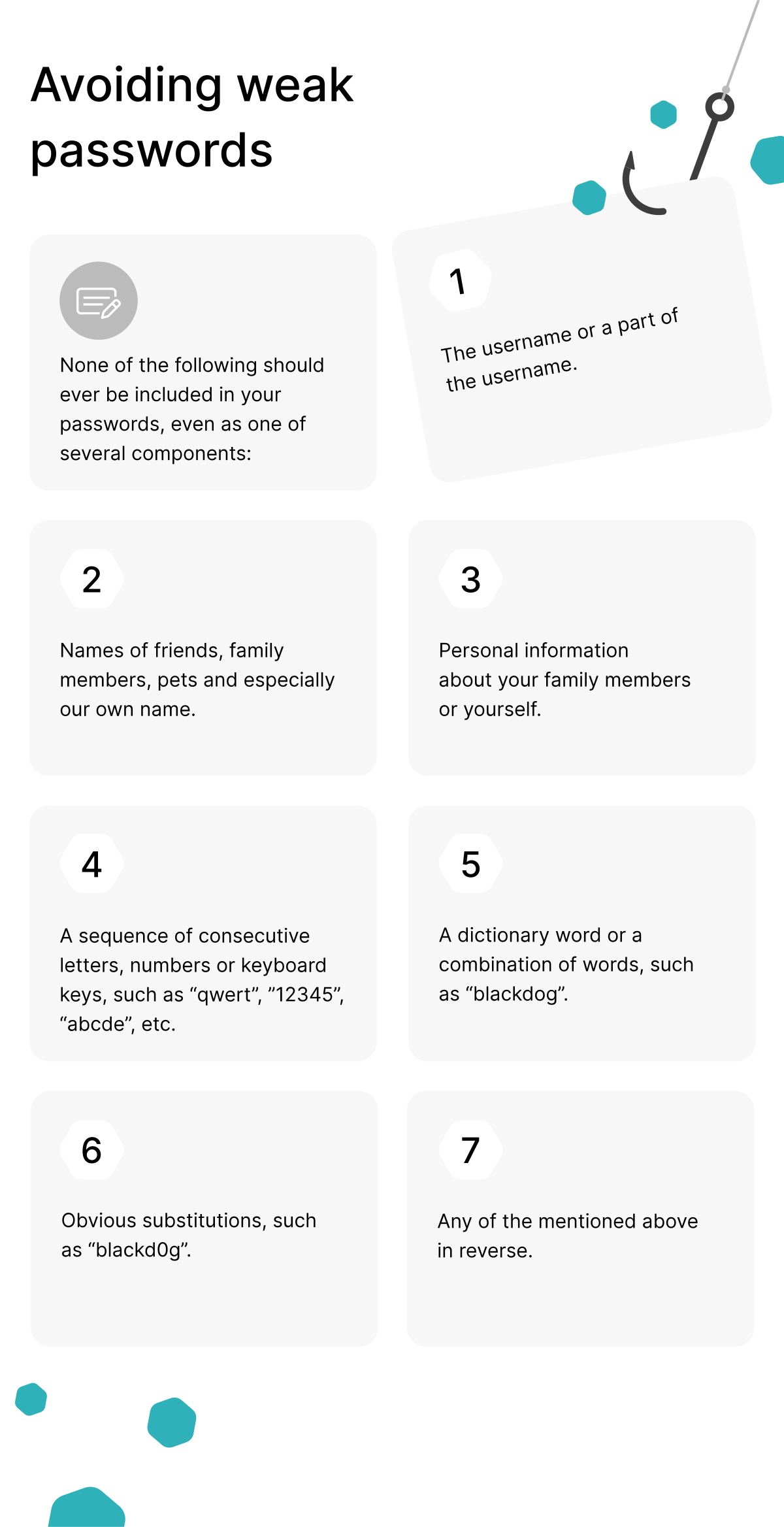
1. Your username or part of it
If your email is [email protected], then JohnSmith2025! is one of the first combinations any password-cracking tool will try. Attackers don’t guess randomly — they start with what they already know about you, and your username is usually the first thing they have.
2. Names of friends, family, pets, or yourself
Social engineering is real. A quick scroll through your Facebook or Instagram tells anyone your dog’s name, your partner’s birthday, and your kids’ school. If any of these appear in your password, you’ve essentially handed the key to anyone with a search engine.
3. Personal information about yourself or family
Birthdays, anniversaries, addresses, phone numbers, license plates — all of this is either publicly available or recoverable with minimal effort. A password like Sarah1985Boston looks complex but takes a determined attacker under a minute.
4. Sequences of consecutive letters, numbers, or keyboard keys
Patterns like qwerty, 12345, abcde, or asdfgh appear at the top of every password dictionary used by hackers. So do their variations: qwerty123, 1qaz2wsx, qweasdzxc. If your fingers can type it in a straight line, it’s compromised.
5. Dictionary words or word combinations
Modern password crackers don’t try one character at a time — they try entire words from massive dictionaries. Combinations like blackdog, sunshine, or football can be broken in seconds, regardless of capitalization.
6. Obvious character substitutions
Replacing letters with similar-looking numbers or symbols feels clever — but it isn’t. Hackers know that blackd0g, p@ssw0rd, and l3tm31n follow predictable substitution rules. Every cracking tool tries these variations automatically.
7. Any of the above in reverse
Reversing a weak password doesn’t make it stronger. drowssap is just as bad as password. So is g0dkcalb. The pattern is in the data, not in the direction.
So what makes a strong password?
The shift in modern password security isn’t just about avoiding mistakes — it’s about understanding what actually slows down an attack. A truly strong password meets four criteria:
- Length over complexity. A 16-character random string beats an 8-character one with symbols. Every additional character multiplies the time needed to crack it exponentially.
- Genuinely unpredictable. No personal connection, no patterns, no dictionary words — even creatively combined.
- Unique to each account. One breach should never compromise multiple accounts. Reusing passwords means a single leak unlocks your entire digital life.
- Stored securely. A strong password you write on a sticky note isn’t strong anymore.
The passphrase method
Modern security experts recommend passphrases — four or more random words combined into a single phrase. The advantage: they’re long, easy to remember, and surprisingly hard to crack when the words are genuinely random.
Examples of strong passphrases (don’t use these — generate your own):
correct-horse-battery-staple— 28 characters, no personal infovelvet-tornado-marble-engine— 4 unrelated nounskayak-purple-mountain-9-stitches— passphrase with a number sprinkled in
The key word is random. “London-Liverpool-Manchester-Birmingham” is not random — it’s four English cities. “I-love-my-cat-Whiskers” is not random — it’s a sentence about you.
Use a password manager
Realistically, you can’t remember 80 unique 20-character passwords. Nobody can. That’s what password managers are for.
A good password manager:
- Generates genuinely random passwords for every account
- Stores them in an encrypted vault locked by one master password
- Auto-fills credentials on websites and apps
- Warns you about reused or leaked passwords
You only need to remember the master password — and that one should be a strong passphrase.
Where a VPN fits in
A password protects what’s stored on the server side. A VPN protects what travels between you and that server. Without a VPN, your passwords can be intercepted before they ever reach the login form — particularly on public Wi-Fi at airports, cafés, or hotels.
Here’s what a VPN does for password security specifically:
- Encrypts your connection so login credentials can’t be captured by anyone on the same network.
- Hides your real IP address, making it harder for attackers to target your accounts based on geographic patterns.
- Protects against fake Wi-Fi hotspots — a common trick where attackers create networks named “Free_Airport_WiFi” to harvest credentials.
Across all nine countries we test in, we recommend NordVPN as the most reliable option. It uses AES-256 encryption (the same standard used by governments), runs on a no-logs policy that’s been independently audited, and offers a built-in password manager (NordPass) as part of the higher-tier plans.
Pair a strong password with strong encryption.
Get NordVPN with up to 74% off and try it risk-free for 30 days.
Quick checklist: is your password strong?
Run your current passwords through this checklist. If you answer “yes” to any of these, change that password today.
- Is it shorter than 12 characters?
- Does it contain your name, your family’s name, or your pet’s name?
- Does it contain your birthday, anniversary, or any meaningful date?
- Is it based on a dictionary word — even with number substitutions?
- Are you using the same password on more than one account?
- Could someone find clues to it on your social media?
- Have you written it down somewhere unencrypted?
If you answered “no” to all seven, you’re in the small minority who actually understands password security. If you answered “yes” to even one, your accounts are more exposed than you think.
Final thoughts
Strong passwords aren’t about clever tricks or memorable phrases — they’re about randomness, length, and uniqueness. Combine that with a VPN to protect your credentials in transit, and you’ve covered both sides of the security equation.
If you’re traveling or living somewhere with restricted internet access, your password strategy matters even more. Check our country-specific guides to find the right VPN setup for your region.