
Last updated: June 2026 | 6 minute read
Affiliate disclosure: VPN Region is reader-supported. When you buy a VPN through links on our site, we may earn a commission at no extra cost to you. This never affects which VPNs we recommend — our rankings are based on our own testing. Learn more.
Online shopping is a hacker’s favorite hunting ground
Every time you enter your credit card details online, you’re trusting that nobody else is watching. Most of the time, that trust is well-placed — but online stores remain one of the most attractive targets for hackers. Card details, addresses, login credentials, and personal data all flow through checkout pages every minute of every day.
According to the FBI’s Internet Crime Report, online shopping fraud accounted for billions in losses in recent years — and that’s just what gets reported. The real number is much higher.
The good news: you don’t need to stop shopping online. You just need to know what to watch for. These five tips cover the basics that will keep you safe.
5 tips for safe online shopping
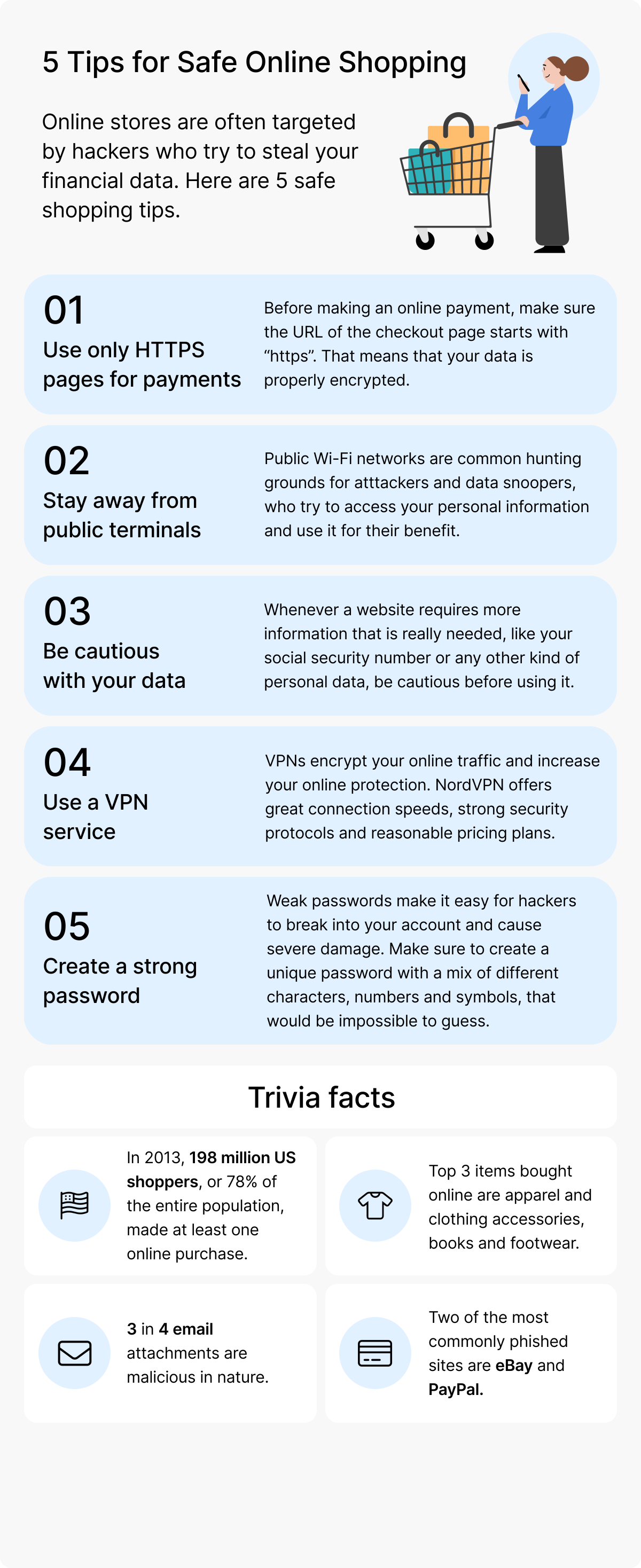
1. Use only HTTPS pages for payments
Before entering any payment information, look at the URL. It must start with https:// (with the “S”), not just http://. The “S” means the connection is encrypted — your card details travel as scrambled data that nobody can read in transit.
Most browsers also show a padlock icon next to the URL when the connection is secure. If you see a “Not Secure” warning or a broken padlock icon, close the tab immediately. No legitimate store in 2026 operates without HTTPS.
One important nuance: HTTPS proves the connection is encrypted, but it doesn’t prove the store is honest. A scam site can still have a padlock. HTTPS is necessary, but not sufficient.
2. Stay away from public terminals and unsecured Wi-Fi
Public computers — at libraries, hotels, internet cafés — should never be used for online shopping. They can have keyloggers, malware, or simply someone walking past who sees your screen.
Public Wi-Fi is almost as bad. Airports, cafés, hotels, and shopping centers offer free Wi-Fi as a convenience, but these networks are common targets for “man-in-the-middle” attacks. An attacker on the same network can intercept the data flowing between your device and the store — including login credentials and card numbers.
If you must shop while traveling, use your mobile data instead of public Wi-Fi, or run a trusted VPN to encrypt your traffic.
3. Be cautious with your personal data
Legitimate online stores need: your name, shipping address, email, and payment details. That’s it. Be suspicious of any site that asks for more than that — your social security number, date of birth, mother’s maiden name, or other personal data that has no business being on a checkout form.
This extra information is either used to build a profile about you (for marketing or resale) or, worse, to commit identity theft. The rule: give the minimum information necessary to complete the purchase.
Use unique passwords for every store account. Consider using “guest checkout” when possible — fewer accounts means less data exposed if a breach happens.
4. Use a VPN service
A VPN encrypts your entire internet connection, not just the website you’re visiting. This means:
- Your card details and personal information travel through an encrypted tunnel
- Your real IP address is hidden — attackers can’t target you by location
- Public Wi-Fi becomes safe to use, because everything is encrypted before it leaves your device
- Your ISP can’t see what you’re buying or where you’re shopping
A reliable VPN with strong encryption and a no-logs policy is one of the easiest upgrades you can make for online shopping safety.
5. Create strong, unique passwords for every store
If you use the same password across multiple stores, one breach compromises every account. And breaches happen constantly — even at major retailers.
The solution is simple: use a password manager. It generates random 16+ character passwords for each store, stores them securely, and auto-fills them when needed. You only need to remember the master password.
For the full guide on password security, see our article on how to create strong passwords.
Red flags that should make you abandon a checkout
Beyond the five tips above, watch for these warning signs. If you see any of them, close the tab and find another store.
- No HTTPS on the checkout page — guaranteed sign of trouble
- Prices that are dramatically lower than everywhere else for the same item — too good to be true usually is
- Poor design, broken images, or grammar mistakes — legitimate stores invest in their UX
- No contact information — no phone, no physical address, no real email
- Payment only accepts wire transfer, gift cards, or cryptocurrency — credit cards have fraud protection that scammers want to avoid
- The domain looks slightly off —
amaz0n-deals.comorwalmart-store.netare not real Amazon or Walmart - Pressure tactics like “Only 2 items left!” countdown timers, especially on new sites — designed to bypass your judgment
- Pop-ups asking for unusual info after you’ve added items to cart
What to do if your card has already been compromised
If you spot unfamiliar charges or get a fraud alert from your bank:
- Call your bank immediately — they can freeze the card and dispute the charges. Most fraud is fully refunded if reported within 30-60 days.
- Change passwords on any account that used the compromised card or matched email/password.
- Check your credit report for any new accounts you didn’t open.
- Enable two-factor authentication on your bank and shopping accounts.
- Watch for follow-up scams — fraudsters often follow up with fake “fraud department” calls trying to extract more info. Hang up and call your bank directly.
The role of a VPN in safe shopping
A VPN doesn’t replace the basics — you still need to check for HTTPS, avoid suspicious sites, and use strong passwords. But it adds a critical layer that the basics can’t provide: encryption of everything that leaves your device.
This matters especially when:
- You’re shopping on public Wi-Fi (airports, hotels, cafés)
- You’re traveling abroad and want consistent access to your home country’s stores
- You want to compare regional prices — some stores charge different prices based on your location
- You want to avoid targeted ads based on your shopping behavior
Across all nine countries we test in, we recommend NordVPN for online shopping safety. It uses AES-256 encryption (the same standard used by banks), runs an independently audited no-logs policy, and includes threat protection that blocks known phishing and scam sites before you even visit them.
Shop online with peace of mind.
Get NordVPN with up to 74% off and try it risk-free for 30 days.
Quick checklist before every checkout
Run this checklist before clicking “Pay now”:
- ✅ URL starts with
https://and shows a padlock - ✅ I’m on my own secure connection (not public Wi-Fi without VPN)
- ✅ The store is asking only for necessary information
- ✅ I’m paying with a credit card (better fraud protection than debit)
- ✅ The domain is exactly correct (no extra letters or hyphens)
- ✅ I have a unique password for this store
If all six boxes are checked, you’re shopping safely.
Final thoughts
Online shopping is one of the most convenient inventions of our time, but it’s also one of the most common ways people get scammed. The five tips in this guide cover 95% of the risk — combine them with a VPN and a password manager, and you’ve made yourself a much harder target than the average shopper.
The biggest mistake people make isn’t falling for sophisticated scams. It’s skipping basic precautions because “it’ll never happen to me.” Don’t be that person.
Continue reading
- How to Create Strong Passwords (7 Mistakes to Avoid)
- The Dark Business of Stolen Data
- Stay Safe Online: Your Digital Security Hub