
Last updated: June 2026 | 7 minute read
Affiliate disclosure: VPN Region is reader-supported. When you buy a VPN through links on our site, we may earn a commission at no extra cost to you. This never affects which VPNs we recommend — our rankings are based on our own testing. Learn more.
A VPN isn’t a luxury — it’s business infrastructure
If you’re still treating a VPN as “something nice to have,” you’re behind. Modern businesses depend on encrypted connections the same way they depend on email and cloud storage. The shift to remote work, the rise in cybercrime, and increasing regulation around data protection have made a business VPN one of the highest-ROI security investments available.
The math is simple. A business VPN subscription costs $10-15 per user per month. A single data breach costs an average of $200,000 for a small business — and that’s just the direct financial damage, not the reputational hit that follows.
This guide walks through the six specific reasons your business needs a VPN, what to look for when choosing one, and how to deploy it without disrupting your team.
What a VPN actually does for business
Before we dive into the reasons, let’s clarify what a business VPN is. A VPN (Virtual Private Network) connects your team’s devices to the internet through an encrypted tunnel. A VPN server acts as a relay between the internet and the computer, so no third parties can see what data the user transmits through the web.
Translation: when your employee sends an email, opens a customer file, or logs into your CRM, the data is scrambled in transit. Even if someone intercepts it — on public Wi-Fi, through a compromised router, or via your ISP — they see only unreadable noise.
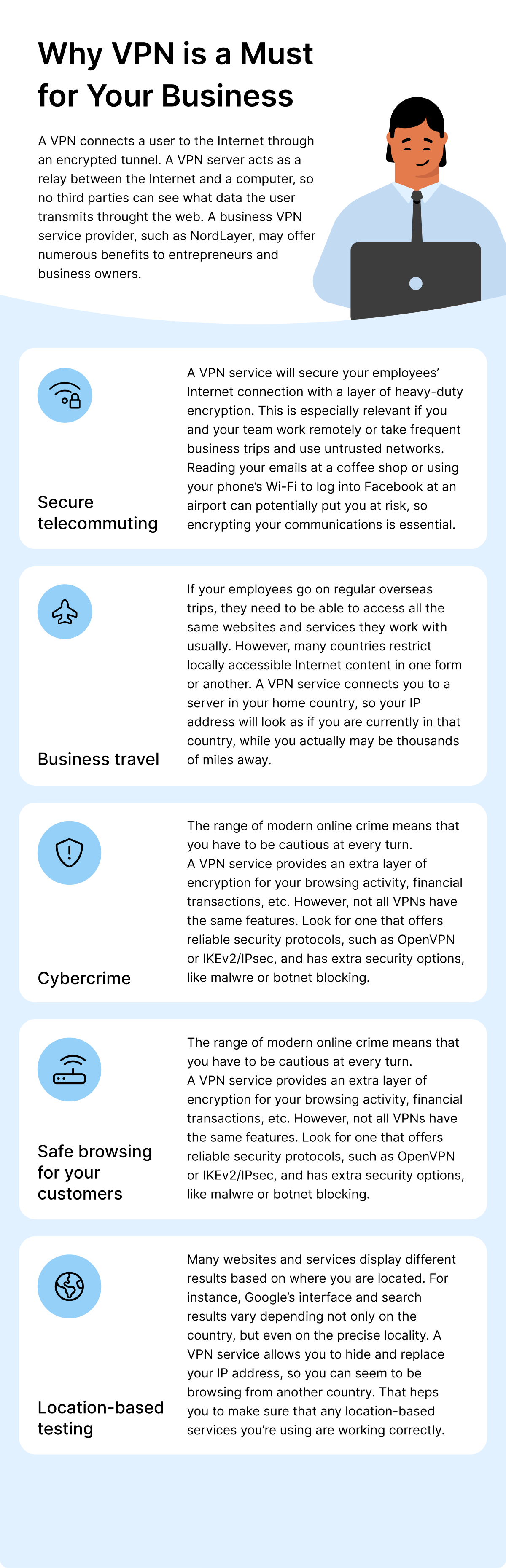
6 reasons your business needs a VPN
1. Secure telecommuting
Remote work isn’t going away. Whether you have a fully distributed team, hybrid workers, or just occasional work-from-home days, your employees connect to company resources from outside the office every single day.
Without a VPN, these connections happen over untrusted networks — home Wi-Fi (often with default passwords), coffee shop networks, hotel internet, airport hotspots. Each one is a potential attack surface. A VPN encrypts every connection, regardless of where your team works from.
Reading your emails at a coffee shop or using your phone’s Wi-Fi to log into Facebook at an airport can potentially put you at risk. Encrypting your communications is essential — and a business VPN makes it automatic, not optional.
2. Safe business travel
If your employees travel for work, they need access to the same tools and content they use at home. But many countries restrict locally accessible internet content — sometimes for political reasons, sometimes for licensing reasons, sometimes for both.
A business VPN connects users to a server in their home country, so their IP address appears as if they’re still based there. Your sales team in China can access Google Workspace. Your developers in the UAE can reach GitHub. Your marketing team in Turkey can use the platforms they normally rely on.
Beyond access, a VPN protects business travelers from hostile networks. Airport Wi-Fi, hotel networks, and conference venues are common hunting grounds for attackers specifically targeting business travelers carrying valuable data.
3. Cybercrime protection
The range of modern online crime means you have to be cautious at every turn. Phishing, ransomware, business email compromise, supply chain attacks — the tactics evolve constantly, and small businesses are increasingly the target.
A VPN service provides an extra layer of encryption for your team’s browsing activity, financial transactions, and internal communications. However, not all VPNs are equal. Look for one that offers:
- Reliable security protocols (OpenVPN, WireGuard, IKEv2/IPsec)
- AES-256 encryption
- An audited no-logs policy
- Extra security options like malware blocking and threat protection
- Kill switch (cuts internet if VPN drops, preventing data leaks)
4. Safer browsing for your customers
If your business handles customer data — and almost every business does — your security posture affects your customers too. When your team accesses customer information from unsecured networks, that data is exposed.
A VPN protects the entire flow: from employee device, through encrypted tunnel, to your internal systems. This matters especially for businesses with compliance requirements (GDPR, HIPAA, PCI-DSS) where data protection isn’t optional.
It also matters for your business reputation. Customers increasingly ask about security practices before sharing data. Having a VPN deployed across your team is a tangible answer to “how do you protect our information?”
5. Location-based testing
Many websites and services display different results based on where you are located. Google’s interface and search results vary depending on the country and even the precise locality. Ads, prices, content availability, and even product offerings change with location.
If you do any of the following, location flexibility matters:
- SEO work — testing how your site appears in different regions
- E-commerce — checking pricing displayed to international customers
- Marketing — verifying ad campaigns running in target countries
- Product development — testing geo-restricted features
- Competitor research — seeing what competitors show in different markets
A business VPN with global server coverage lets your team switch their virtual location instantly. This isn’t a “nice-to-have” for many businesses — it’s essential workflow infrastructure.
6. Compliance and regulatory protection
Data protection laws have multiplied in recent years. GDPR (Europe), CCPA (California), LGPD (Brazil), POPIA (South Africa), PDPA (Singapore) — and many more — all impose strict requirements on how businesses handle and transmit personal data.
A VPN doesn’t make your business automatically compliant, but it covers one major requirement: encryption of personal data in transit. Most data protection regulations explicitly require this, and most fines come from breaches where this requirement wasn’t met.
What to look for in a business VPN
Not every consumer VPN works for business use. Here’s what separates a real business VPN from a consumer product with a business plan:
- Centralized management — single dashboard to add/remove users, monitor usage, enforce policies
- Dedicated IP options — assign specific IPs to your team for whitelisting in internal tools
- SSO integration — works with your existing identity provider (Google Workspace, Microsoft 365, Okta)
- Server coverage — locations relevant to your business (where you have offices, customers, partners)
- Speed — fast enough for video calls, file transfers, and cloud work without slowdown
- Reliability — 99.9%+ uptime, multiple server fallbacks
- Audited no-logs policy — independent verification, not just marketing claims
- Customer support — responsive, especially for outage situations
How to deploy without disrupting your team
The biggest reason businesses delay VPN deployment is fear of disruption. The reality is much smoother than most teams expect. Here’s the rollout sequence that works:
- Pilot with 2-3 people for one week — usually IT-savvy team members who can give feedback
- Expand to leadership — they should experience it before mandating it for others
- Roll out by team — start with high-risk roles (finance, executives, anyone handling sensitive data)
- Make it automatic — configure devices to connect to the VPN by default, not as a manual step
- Train on basics — what to do if the VPN drops, how to switch server locations, how to report issues
- Monitor and refine — review usage patterns, adjust server selections based on actual traffic
Most teams adapt within 2 weeks. The “disruption” is much smaller than imagined — modern VPNs operate transparently in the background.
Common objections — and the realistic answers
“We’re too small to need a VPN”
Small businesses are the most targeted. Attackers know small teams have valuable data and weak defenses. The cost of a VPN is trivial compared to the cost of a breach.
“It will slow down our work”
A well-chosen modern VPN adds 5-15% latency — usually imperceptible. The bigger productivity hit comes from a breach forcing a 2-week scramble to clean up.
“Our team will hate it”
Properly configured VPNs run invisibly. Your team won’t notice unless they specifically check. The friction is in the setup, not the daily use.
“We already have antivirus / firewall”
These protect different things. Antivirus stops malware on devices. Firewalls control what enters your network. A VPN encrypts what leaves your devices — a separate, complementary layer.
“It’s too expensive”
$10-15 per user per month. Compare to: average breach cost ($200K+), reputational damage, compliance fines, and recovery time. The math always favors the VPN.
Our recommendation
Across all nine countries we test in, we recommend NordVPN (or for larger teams, its business-focused sibling NordLayer). Reasons:
- AES-256 encryption (same standard used by banks)
- Independently audited no-logs policy
- 6,000+ servers across 60+ countries
- Threat protection blocks malware and phishing sites
- Built-in password manager (NordPass) on higher tiers
- Reliable speeds for video calls and cloud work
- Affordable for businesses of any size
Protect your business with a proven VPN.
Get NordVPN with up to 74% off and try it risk-free for 30 days.
Final thoughts
A VPN is the security investment with the lowest cost and highest impact for almost every business. It handles multiple risks at once — public Wi-Fi attacks, ISP tracking, location-based threats, compliance gaps — and integrates into existing workflows without requiring specialist knowledge.
If you’re running a business in 2026 without a VPN deployed across your team, you’re not just behind on security best practices — you’re exposed to risks that competitors have already addressed.
The good news: deployment takes a few hours, costs less than most software subscriptions, and pays for itself the first time it prevents an attack.
Continue reading
- How Small Businesses Can Protect Customer Data
- How to Create Strong Passwords (7 Mistakes to Avoid)
- The Dark Business of Stolen Data
- Safe Online Shopping: 5 Essential Tips
- What Google Knows About You
- Stay Safe Online: Your Digital Security Hub