
Last updated: June 2026 | 7 minute read
Affiliate disclosure: VPN Region is reader-supported. When you buy a VPN through links on our site, we may earn a commission at no extra cost to you. This never affects which VPNs we recommend — our rankings are based on our own testing. Learn more.
Google knows more about you than your closest friends do
Here’s an uncomfortable truth: Google probably knows where you slept last night, what you ate for dinner, who you texted, what you’re worried about, and what you might buy next week. Not because Google is spying on you in some Hollywood-villain way — but because you’ve been giving them this data, voluntarily, for years.
Every Gmail email, every Maps direction, every YouTube video, every Chrome search, every Android app — Google collects data from all of it. Then it combines that data into a single profile that’s more detailed than what most governments have on their citizens.
You can actually see this profile yourself. Visit myactivity.google.com while signed in, and prepare to be unsettled. Years of search history, location pings, voice recordings, and YouTube views — all neatly catalogued.
This guide walks through exactly what Google collects, why they collect it, and what you can do to take back some control.
What Google knows about you
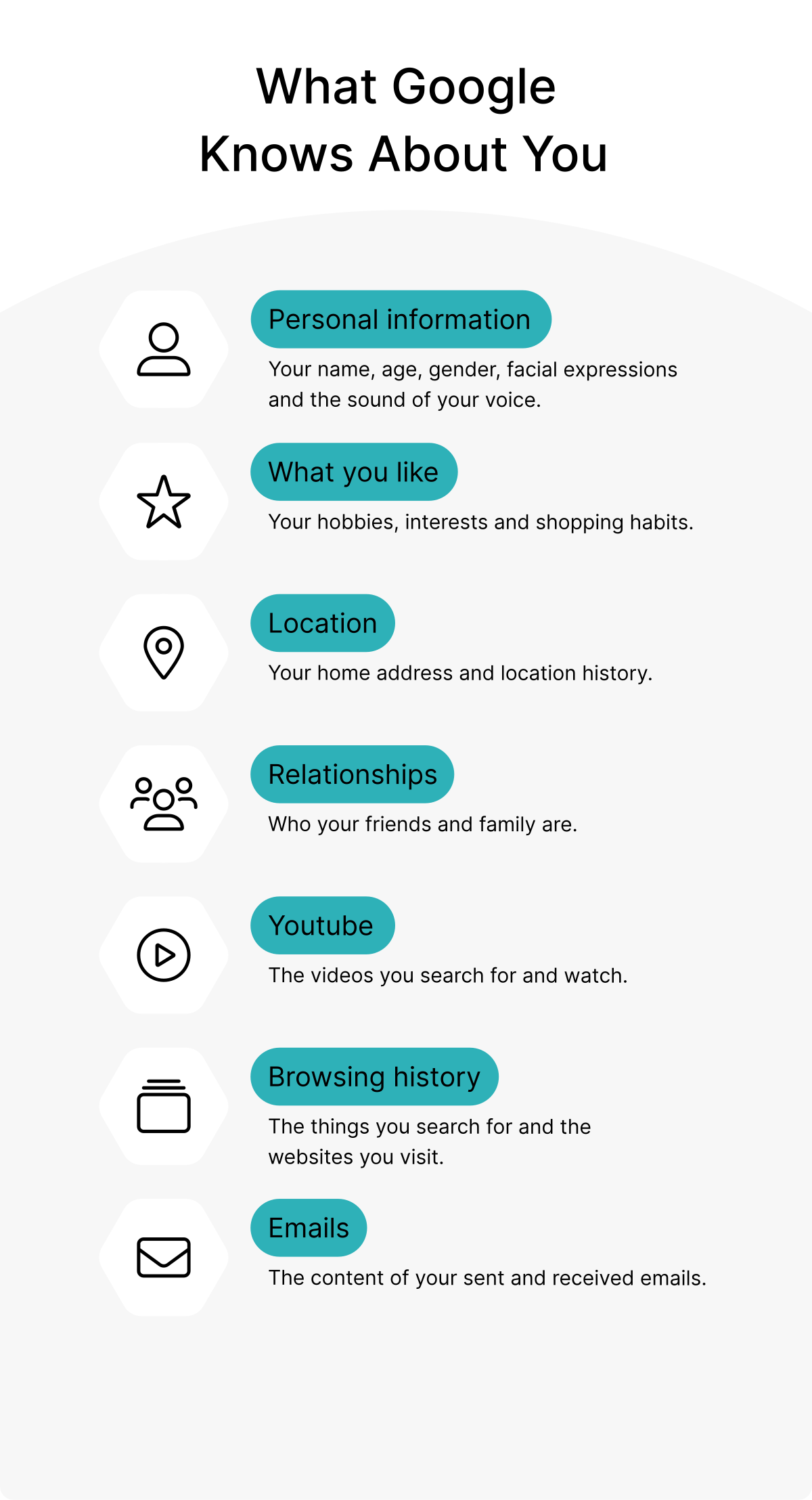
1. Personal information
The basics: your full name, date of birth, gender, profile picture, and phone number. If you’ve used Google Voice or Duo, they have voice samples. If you’ve used Photos, they have facial recognition data tied to your name. Even your facial expressions in photos have been catalogued — Google’s AI tags emotions to help you find “happy photos” later.
Most of this seems harmless until you realize it’s all linked. Your face, voice, and identity are now permanently associated with everything else Google knows about you.
2. What you like
Your hobbies, interests, shopping habits, political views, and reading preferences. Google builds this profile from your searches, YouTube history, ad clicks, and app usage. It’s so accurate that Google can sometimes predict what you’ll be interested in before you realize it yourself.
This profile is the foundation of every “personalized” experience: search results, ads, YouTube recommendations, Google News, Discover feed, even autocomplete suggestions. The reason it feels like Google “gets you” is because it has years of behavioral data to train on.
3. Location
This is where it gets disturbing. If you have an Android phone, or use Google Maps on iPhone, Google likely has:
- Your home address (inferred from where your phone sits overnight)
- Your work address (where it sits during business hours)
- Every place you’ve visited, with timestamps
- How you traveled (walking, driving, public transit)
- How long you stayed at each location
Visit timeline.google.com to see your own location history. For most people who haven’t disabled it, the data goes back years — and includes places you’d probably rather forget.
4. Relationships
Google knows who matters to you. Through Gmail contacts, who you email most often, photo tagging, calendar invites, and shared documents, Google has built a social graph of your closest connections. They know your spouse, your parents, your children’s names, your closest friends, your colleagues.
Combined with location data, Google can often determine relationship dynamics — who you live with, who you visit regularly, who you see at work versus in your personal life.
5. YouTube viewing habits
Every video you’ve watched, paused, skipped, or rewatched is logged. The duration, the time of day, what you watched before and after — all of it shapes Google’s understanding of your interests, mood patterns, and even mental health markers.
If you’ve ever fallen down a YouTube rabbit hole at 2 AM, Google knows. If you watch educational content during work hours, Google knows. If you binge specific topics during stressful periods, Google has noticed the pattern.
6. Browsing history
If you use Chrome and are signed into your Google account, every website you visit is logged. Even in incognito mode, Google still sees the traffic going to and from their services. Combined with cookie tracking across millions of sites that use Google Analytics or Google Ads, the picture becomes nearly complete.
This data isn’t just for ads. It feeds Google’s understanding of your purchasing intent, health concerns, financial situation, relationship status, and dozens of other dimensions you probably haven’t thought about.
7. Email content
This is the one most people don’t realize: Google’s AI reads your Gmail. Not in real-time human surveillance, but in automated scanning that extracts information for:
- Smart Reply suggestions
- Calendar event detection (flights, hotels, reservations)
- Package tracking
- Spam detection
- Ad targeting based on email content
Anything you’ve ever discussed in Gmail — health concerns, financial details, relationship issues, work conflicts — has been processed by Google’s systems. They claim humans don’t read it, but the data exists.
How to limit what Google tracks
The good news: most of this tracking is configurable. You can dramatically reduce Google’s data collection in about 30 minutes of settings work.
1. Audit your Google account first
Start at myaccount.google.com and run the Privacy Checkup. It walks you through every data collection setting in your account. Most people are shocked by how many options are enabled by default.
2. Turn off Web & App Activity
This is the single biggest privacy improvement. Go to Activity controls and pause “Web & App Activity.” This stops Google from saving your searches, browsing in Chrome (when signed in), and activity in Google apps.
Trade-off: less personalized results. The benefit: enormous reduction in tracking.
3. Turn off Location History
Same page — pause “Location History.” This stops Google from creating that detailed map of everywhere you go. While you’re there, delete the existing history (auto-delete after 3 months is the maximum useful retention; setting it to “never auto-delete” keeps decades of data).
4. Turn off YouTube History
Also on the same page. Pause “YouTube History” to stop video tracking. Your recommendations will be less personalized, but you’ll feel less monitored.
5. Use a privacy-focused browser
Chrome is convenient, but it’s also Google’s primary data collection tool. Consider alternatives:
- Firefox — open source, strong default privacy settings
- Brave — built-in ad and tracker blocking
- DuckDuckGo browser — combines a privacy-focused search engine with browser
6. Use a different search engine
Google Search is excellent, but it’s also how Google learns most about your interests. Alternatives:
- DuckDuckGo — doesn’t track searches, decent results
- Startpage — Google results without the tracking
- Brave Search — independent index, growing in quality
7. Sign out when you don’t need to be signed in
You don’t need to be signed into Google for YouTube, Maps, or Search. The functionality is slightly degraded, but the privacy gain is significant. Some people maintain separate accounts: one signed in for Gmail/Drive, another (or none) for browsing.
Where a VPN fits in
A VPN won’t stop Google from collecting data when you’re signed into Google services — they identify you by account, not IP address. But a VPN does block several other tracking vectors:
- Hides your IP address from Google services you’re NOT signed into
- Encrypts your traffic so your ISP can’t sell browsing data (legal in many countries, increasingly common in the US)
- Blocks Google Analytics tracking when combined with a tracker-blocker
- Allows you to test what Google shows users in other countries — useful for understanding personalization
- Makes location-based tracking harder on services that infer location from IP
Across all nine countries we test in, we recommend NordVPN. Beyond encryption, it includes threat protection that blocks known tracking domains — adding another layer of privacy beyond just IP masking. NordVPN’s no-logs policy has been independently audited, so they don’t store the data Google collects either.
Take back control of your online privacy.
Get NordVPN with up to 74% off and try it risk-free for 30 days.
The 10-minute privacy upgrade
If you only have 10 minutes, do these three things in order:
- Visit myactivity.google.com/activitycontrols and pause Web & App Activity, Location History, and YouTube History
- Set auto-delete to “3 months” for any remaining activity
- Install a tracker blocker (uBlock Origin, Privacy Badger, or use Brave browser)
These three steps alone reduce Google’s tracking by 80%+. Everything else is fine-tuning.
Should you delete Google entirely?
For most people, the answer is no. Google’s products are genuinely excellent, and the alternative ecosystems aren’t yet at the same quality level for general use. The realistic goal isn’t “no Google” — it’s “less Google.”
The privacy spectrum looks like this:
- Default Google user: maximum convenience, maximum tracking
- Aware Google user: privacy settings configured, tracker blocker installed (good middle ground for most people)
- Privacy-conscious user: alternative browser, alternative search, signed out when possible, VPN active
- Maximum privacy: ProtonMail instead of Gmail, GrapheneOS instead of Android, no Google account at all
Most people benefit hugely from moving from level 1 to level 2. That’s a 30-minute project.
Final thoughts
The deal Google offers — free, excellent products in exchange for your data — has been one of the most successful trades in business history. You don’t have to accept the default terms of that deal, though. The privacy settings exist. The alternatives exist. The VPNs exist.
You don’t have to “leave Google” to have privacy. You just have to be intentional about what you give them.
Continue reading
- How to Create Strong Passwords (7 Mistakes to Avoid)
- The Dark Business of Stolen Data
- Safe Online Shopping: 5 Essential Tips
- Protecting Customer Data: 5 Steps for Small Businesses
- Stay Safe Online: Your Digital Security Hub